Charting Deep-Dive · MetaStock 20

The charting engine, tool by tool

Charting made MetaStock's name, but the charts are only the visible layer. Here is what the software actually does, from the chart window itself to the scanning, testing and forecasting tools behind it.

The charts

Charts you shape once, then reuse forever

MetaStock draws every chart style a technician reaches for: candlesticks, bars, line charts, point and figure and the rest, with the full classical drawing kit of trendlines, channels, Fibonacci and Gann studies on top. The interface is object-oriented, which sounds like jargon but changes how the software feels: you click the thing you want to change. Click a price plot to restyle it, right-click any object for its menu, drag an indicator from one chart and drop it on another.

The quiet productivity features matter more than any single chart style:

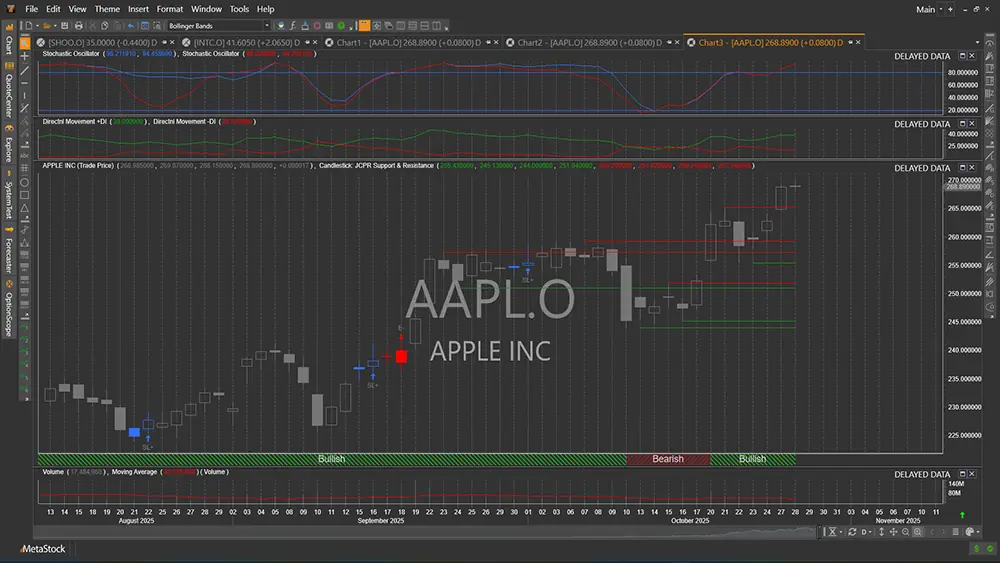
MetaStock 20 candlestick chart with indicators and signal markers
Charting with indicators & signal markers
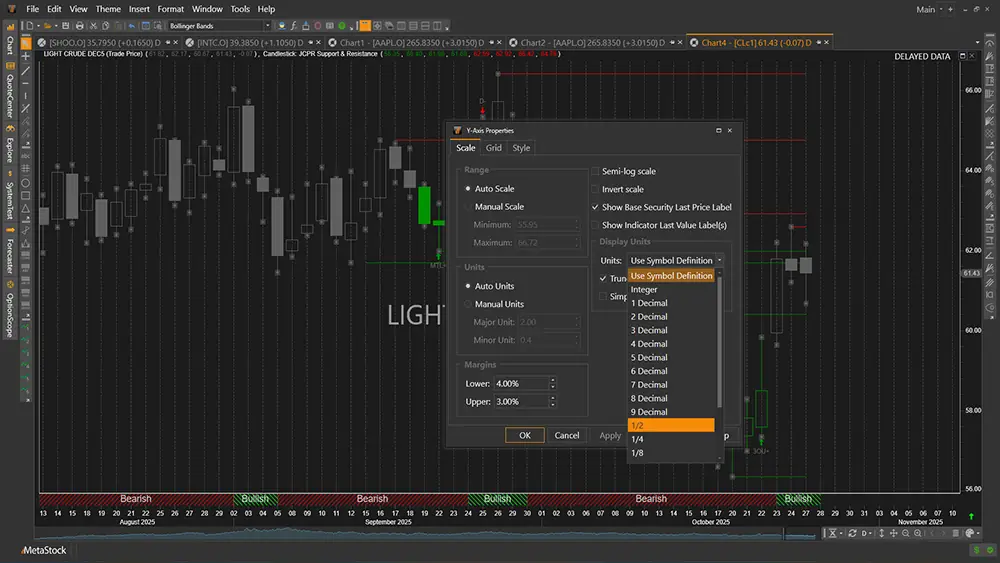
Japanese candle pattern recognition highlighting patterns on a MetaStock 20 chart
Candle pattern recognition, now included free

One upgrade worth calling out: Japanese candle pattern recognition, which used to be a US$399 add-on, is now built in free. The software spots and labels the patterns on the chart for you.

The indicators

300+ indicators, and a builder for your own

MetaStock ships with more than 300 indicators and line studies, with built-in interpretation notes explaining how each one is conventionally traded. That library covers essentially everything with a name: the classics, the oscillators, the volatility and volume tools, and plenty you have never heard of.

The ceiling, though, is the Indicator Builder: write your own indicators in MetaStock's formula language and they plot like any built-in. This is where the software stops being a library and becomes an instrument. The language is learnable by non-programmers, and our free nine-lesson formula course teaches it from zero.

The Explorer

Scan thousands of securities for your setup

Finding candidates is the tedious half of trading, and the Explorer exists to delete it. Describe a condition, say, stocks that just crossed above their 200-day moving average on above-average volume, and the Explorer sweeps your whole database and returns the matches. Run a second exploration over those results to narrow further, or schedule your standard scan as part of the after-market routine.

Every serious MetaStock workflow we have seen runs through the Explorer. It turns "what should I even look at tonight?" into a five-minute question.

The Expert Advisors

58 experts reading the chart beside you

The Expert Advisor system packages the methodologies of respected technicians, Martin Pring, Gilbert Raff and Bill Williams among them, into overlays you attach to a chart: 58 of them built in. The expert annotates the price action with its signals and commentary, so you see how that approach would read the exact chart in front of you.

Used well, they are a training device: compare your read of a chart against an expert's, notice the differences, learn. Used badly, they are someone else's opinion followed blindly. Our Expert Advisor page covers getting the good version of that trade.

The System Tester

Prove the strategy before it costs money

The System Tester backtests trading rules against historical data: profit, drawdown, win rate and a trade-by-trade log, with realistic details like order sizes and commissions in the simulation. Point it at a group of securities and a group of strategies and it compares the lot, which is how you find out whether an idea that looks clever on one chart survives contact with a hundred.

Combined with the Explorer and the Indicator Builder, this is the loop that justifies MetaStock's longevity: express an idea, scan for it, test it, refine it, all inside one program.

And the rest

Forecaster, OptionScope, and the honest caveats

Two more tools round out MetaStock 20. The Forecaster, built on a patented method, projects a probability cloud of likely price paths forward from the current bar: a visual read on where price could plausibly go, not a crystal ball. OptionScope, new in version 20, brings options analysis into the same workspace.

And the caveats, because a charting page should be straight with you: MetaStock does not execute trades at a broker, and there is no AI in it. It analyses; you decide and you place the orders. It also needs a data feed to be useful, which has its own cost: the market data guide covers the 2026 options and prices. Other questions likely have plain answers in the FAQ.

MetaStock

Charting software is bought with the eyes

No feature list substitutes for your own watchlist on the screen. The 30-day trial is the full version: open your stocks and judge the charts yourself.

Start Your Free 30-Day Trial →

30-DAY TRIAL · FULL VERSION · CANCEL ANYTIME · AFFILIATE LINK, SAME PRICE FOR YOU